
Help Center
Search & Command Palette
Quickly find contacts, opportunities, conversations, and other records from anywhere in the app.
Last updated
The command palette is a global search tool that lets you find any record across your CRM without navigating away from your current page.
Opening the Palette#
Press Cmd+K (macOS) or Ctrl+K (Windows/Linux) from any page in the app. A search dialog opens with the input field focused and ready to type.
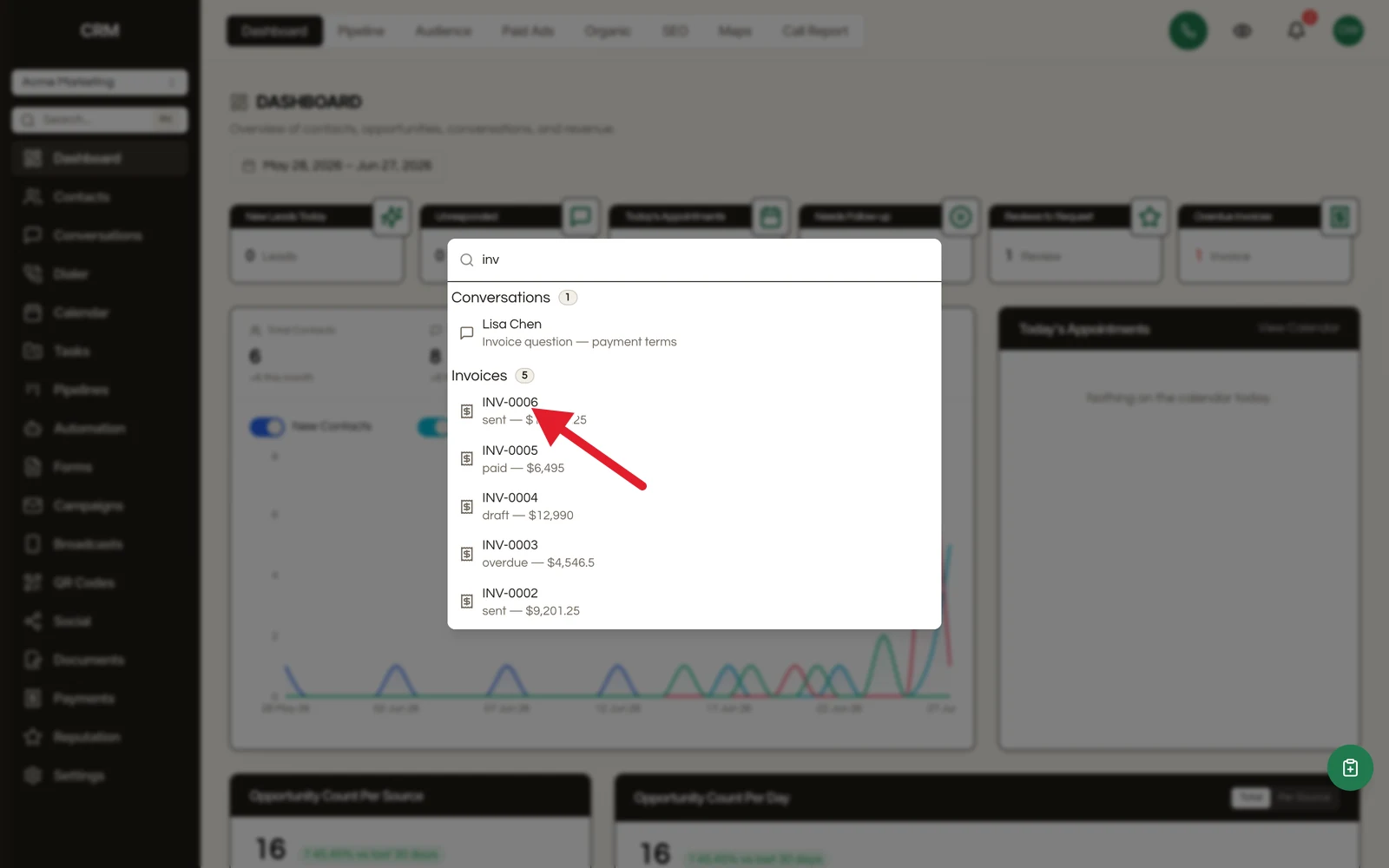
Press Escape or click outside the dialog to close it.
What You Can Search#
The command palette searches across nine record types simultaneously:
| You can find | By searching |
|---|---|
| Contacts | name, email, phone, or company |
| Conversations | participant or message text |
| Opportunities | deal name or linked contact |
| Tasks, invoices, documents | title or number |
| Settings and pages | jump straight to any section |
| Type | What's Searched |
|---|---|
| Contacts | Name, email, company |
| Opportunities | Opportunity name |
| Conversations | Contact name, email, subject |
| Messages | Message text |
| Workflows | Workflow name, description |
| Forms | Form name, description |
| Invoices | Invoice number |
| Documents | Document title |
| Tasks | Task title |
Results are grouped by type and shown in a consistent order. Each result displays a title and subtitle (for example, a contact shows the full name and email address).
Using Search Results#
- Navigate: Click a result or press Enter to go directly to that record's detail page
- Arrow keys: Use the up and down arrow keys to move between results
- Result count: Each group shows a badge with the number of matches
The palette closes automatically when you select a result.
Recent Searches#
When you open the palette with no query, your last five search terms are shown for quick access. Click any recent search to run it again.
Recent searches are saved locally in your browser and persist between sessions.
Tips#
- Search is instant - results update as you type with a short delay for performance
- All results are scoped to your current sub-account
- The palette works from any page, including settings and detail views
- For more targeted searching, use the filter bars within each module (Contacts, Pipelines, etc.)