
Help Center
Dashboard
Your at-a-glance overview of contacts, opportunities, conversations, and revenue.
Last updated
The Dashboard is the first screen you see when you log in. It gives you a high-level snapshot of your business - key numbers, recent activity, and shortcuts to common actions - so you can orient yourself quickly without digging through individual modules.
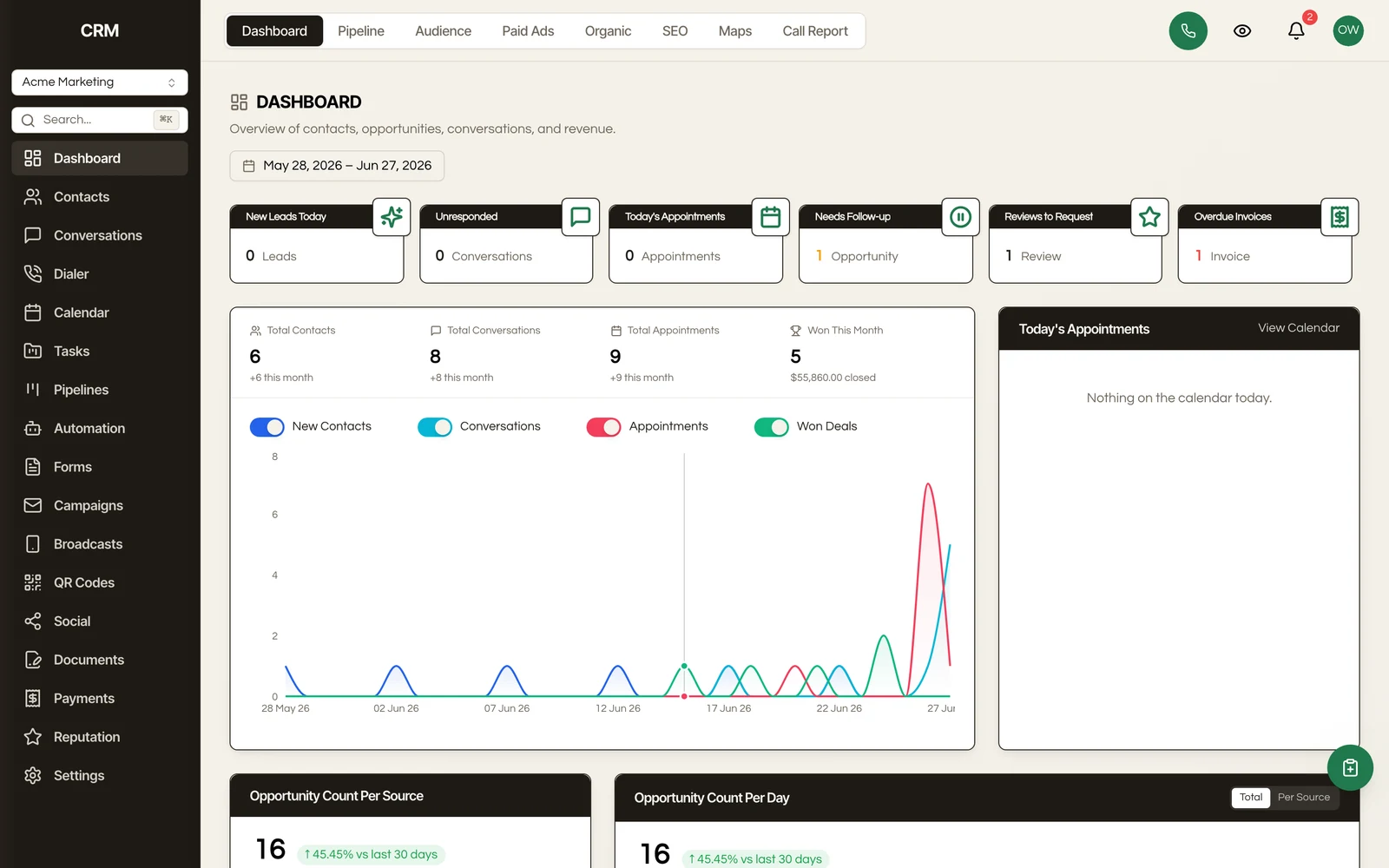
Overview#
The dashboard is organized into action cards and running-total tiles across the top, a today's-appointments list, and a recent activity feed. Everything updates in real time, so the numbers you see always reflect the current state of your sub-account.
KPI Cards#
A row of action cards across the top highlights what needs your attention right now:
| Card | What It Shows |
|---|---|
| New Leads Today | Contacts created today |
| Unresponded | Conversations still awaiting a reply |
| Today's Appointments | Appointments scheduled for today |
| Needs Follow-up | Contacts and deals flagged for follow-up |
| Reviews to Request | Customers eligible for a review request |
| Overdue Invoices | Invoices past their due date |
Below these, a set of running-total tiles shows your overall numbers: Total Contacts, Total Conversations, Total Appointments, and Won This Month.
Recent Activity#
Below the KPI cards, the recent activity feed shows the latest events across your account:
- New contacts created
- Opportunities opened, moved, won, or lost
- Messages received
- Appointments booked
- Tasks completed
Click any activity item to jump directly to the related record - the contact, opportunity, conversation, or appointment.
Today's Appointments#
A dedicated panel lists the appointments scheduled for today, each with its time, the contact, and its status, so you can see your day at a glance and jump straight into any booking.
Date Range Filtering#
Use the date range selector at the top of the dashboard to control the time period for the activity feed and trend charts. Preset options include:
- Today
- This week
- This month
- This quarter
- This year
- Custom date range
When you change the date range, the activity feed and trend charts update to show events and metrics for the selected period.
Summary#
| Feature | Detail |
|---|---|
| KPI cards | Action cards (new leads, unresponded, today's appointments, follow-ups, reviews to request, overdue invoices) plus running-total tiles |
| Activity feed | Real-time log of recent events across all modules |
| Today's appointments | Panel listing the day's bookings with time, contact, and status |
| Date range | Preset and custom date ranges for filtering all dashboard data |