The reason I love Seedly is ownership. You own the codebase instead of renting and watching the provider change things constantly.
Owns the codebase
Database
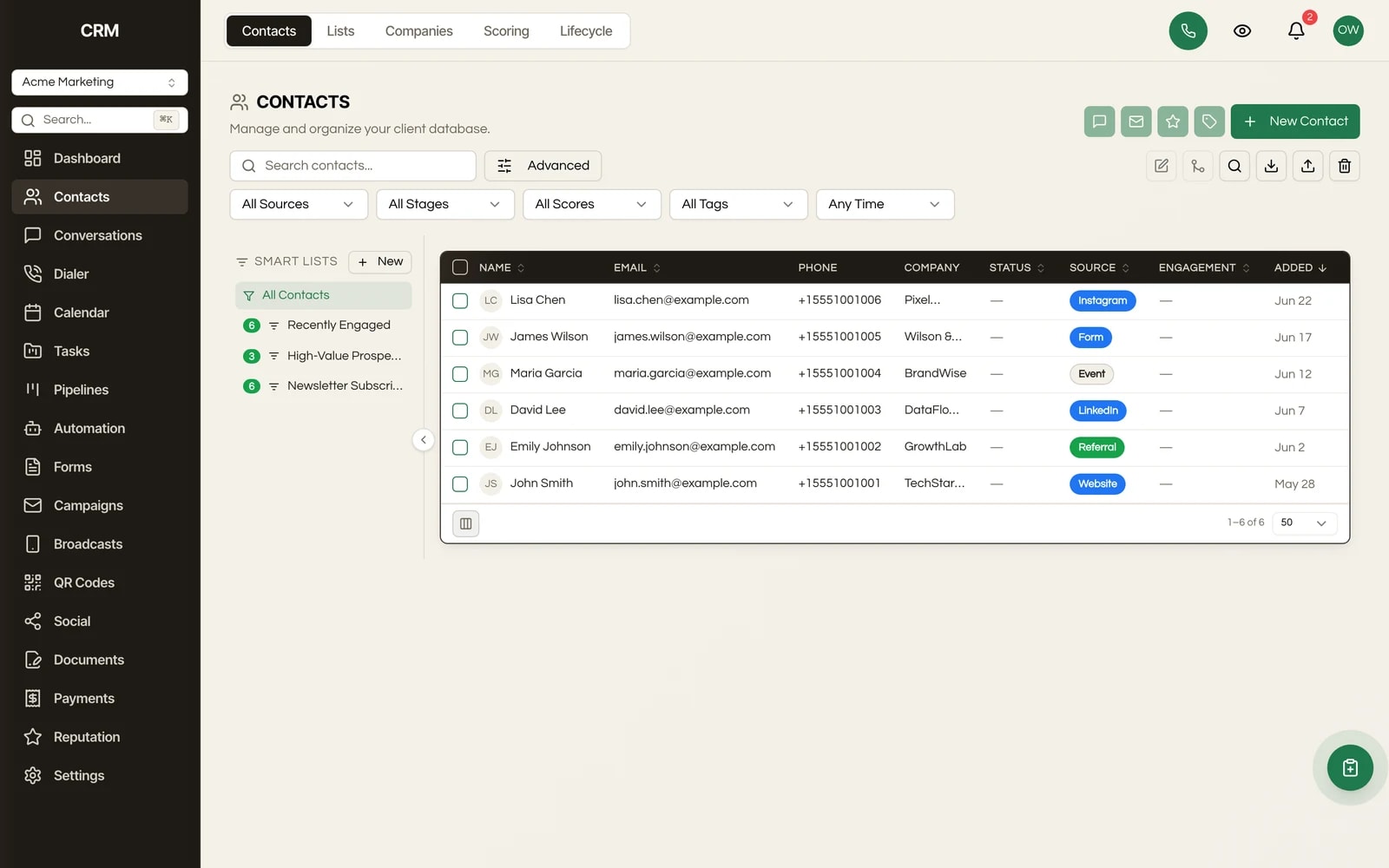
One unified contact database per client, with custom fields, tags, and smart segments. It runs on your infrastructure, and you can export every record any time you want.
One payment. Full source code. Unlimited seats, every client, forever.

Don't take our word for it. Take theirs.
Early Seedly owners, in their own words. Every review verified on Trustpilot.
What It Does
Build dynamic segments with a visual AND/OR filter builder across any field, including your custom fields. Save them as reusable smart lists that recalculate live as contacts change, then target campaigns and workflows against them. No manual re-tagging.
Drag in a CSV and the importer auto-detects column mappings (it already recognizes common GoHighLevel-style headers), lets you map columns to standard or custom fields, scans for duplicates, and gives you per-row control over whether to skip, update, or create. It runs in the background with a live progress bar, so a large import does not tie up the screen.
Define your own fields with 10 field types (text, number, date, dropdown, checkbox, textarea, email, phone, URL, rating), mark them required, set validation rules, and organize them into folders. Because you own the code, you are never capped on how many custom fields you can add.
Every contact is one record that every other module ties back to: conversations, opportunities, invoices, appointments, and calls. Comprehensive profile fields (name, multiple emails and phone numbers, company, title, source, address, UTM data) plus lifecycle stages from Lead through Repeat.
Flexible categorization with colored, described tags organized into folders. Apply or change tags across many contacts at once with bulk actions.
Export your contacts to CSV with a column picker. The filters you have applied carry into the export, so you can pull a segment or the whole book. This is the no-hostage-data guarantee made literal.
New contacts are de-duplicated on creation by email, phone, or both. When duplicates do slip in, a side-by-side merge tool lets you pick the winning values and rolls the duplicate's history into the master record.
Select many contacts and delete, tag, assign, change lifecycle status, or enroll them in a workflow in one move.
How It Works
A contact is simply a record of a person. Each of your clients runs in their own sub-account, and each sub-account has its own separate contact database. You add contacts three ways: import a CSV, capture them through a form, or let them arrive automatically from an inbound call, text, or email.
Standard fields cover the basics; custom fields cover whatever your agency or your client specifically tracks. Tags label contacts for quick grouping. Lifecycle stage marks where they are in your funnel, and an engagement score (with color-coded Hot, Warm, Cool, Cold badges) reflects how active they are.
To work part of the database, you build a segment: a saved filter like "lifecycle is Lead AND source is Facebook AND tag is not Customer." The segment is dynamic, so it always reflects the current data, and you point campaigns and automations at it.
When you want your data out, you export to CSV with a column picker. The export respects whatever filters you have applied, on a single segment or the whole book. Nothing is locked in.
The Rest Of The Garden
Every module ships in the same source code you own. Slide through the rest of the garden.
FAQ
Yes. Export your contacts from GoHighLevel as a CSV and run them through the import wizard. It auto-detects common column headers (first name, last name, email, phone, company, tags, source, and more), so most fields map themselves. Anything custom, you map by hand, and the duplicate scan keeps you from doubling up records.
Yes, that is the primary import path. Drag in any CSV, map the columns (standard fields or your own custom fields), choose how to handle duplicates, and the import runs in the background with a progress bar. Large files are handled in the background, so the import does not tie up your screen.
Yes, completely. Seedly is self-hosted source code, so the database lives on your infrastructure. CSV export is a built-in feature with a column picker, available any time, on the whole database or any filtered segment. There is no plan tier and no vendor in the way.
Yes. Create custom fields in 10 types (text, number, date, dropdown, checkbox, textarea, email, phone, URL, rating), set them required, add validation, and organize them into folders. Custom fields are available in import mapping, on the contact record, and as filter criteria for segments.
Tags are labels you apply to contacts for grouping. A smart segment is a saved filter (using AND/OR logic across any field, including custom fields and tags) that stays live: as contacts change, the segment updates itself. You target campaigns and automations against segments rather than re-tagging by hand.
Yes. Every client runs in its own sub-account with its own contacts, strictly isolated. One client can never read or touch another's records, and you manage all of them from a single install.
Two layers. New contacts are de-duplicated on creation by email, phone, or both. During CSV import, a duplicate scan flags conflicts and lets you decide per row whether to skip, update, or create. For duplicates already in the database, a side-by-side merge tool combines them and preserves the history.
Yes. The whole app is white-label ready, so the contact database your clients log into carries your brand, not ours.

One-time payment. No subscriptions. No renewals.
Secure checkout via Stripe. Your license key is emailed instantly.