
Help Center
QR Codes
Create dynamic QR codes you can re-point at any time, then track every scan.
Last updated
QR codes in Seedly are dynamic, which means the printed code never changes but you control where it sends people. Put a code on a flyer, business card, sign, or product, and you can update its destination later without reprinting anything. Every scan is tracked so you can see what is working.
Overview#
QR Codes is its own module in the sidebar. Each code is a short link that redirects to a destination you choose. Because the destination is editable, the same printed code can point to different places over time, and you get scan analytics for each one. The Manage tab is where you create and organize codes; the Analytics tab is where you see how they are performing.
Creating a Code#
- Go to QR Codes and open the Manage tab.
- Click New QR Code.
- Give it a name and set the destination URL.
- Customize the color to match your brand, and check the live preview.
- Save, then download the code as a PNG or copy its short link.
You can organize codes into folders to keep larger collections tidy.
Re-pointing a Code#
Open any code and change its destination. The change takes effect immediately, so anyone who scans the existing printed code from then on is sent to the new destination. This is useful for:
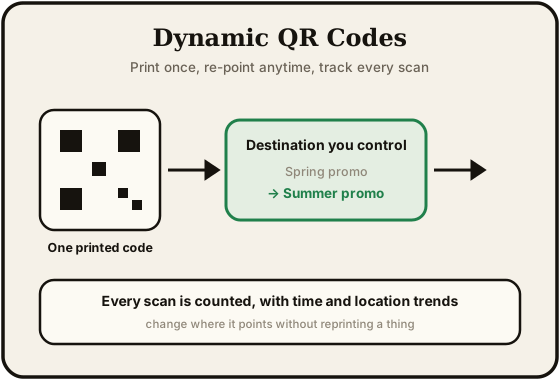
- Seasonal campaigns, where a flyer's code points at a different offer each month
- Fixing a typo or a broken link after something is already printed
- Reusing the same printed materials for a new promotion
Pausing a Code#
Pause a code to stop it from redirecting. Scans of a paused code stop going through until you turn it back on. Use this to retire a campaign without deleting the code or its history.
Scan Analytics#
The Analytics tab shows how your codes are performing.
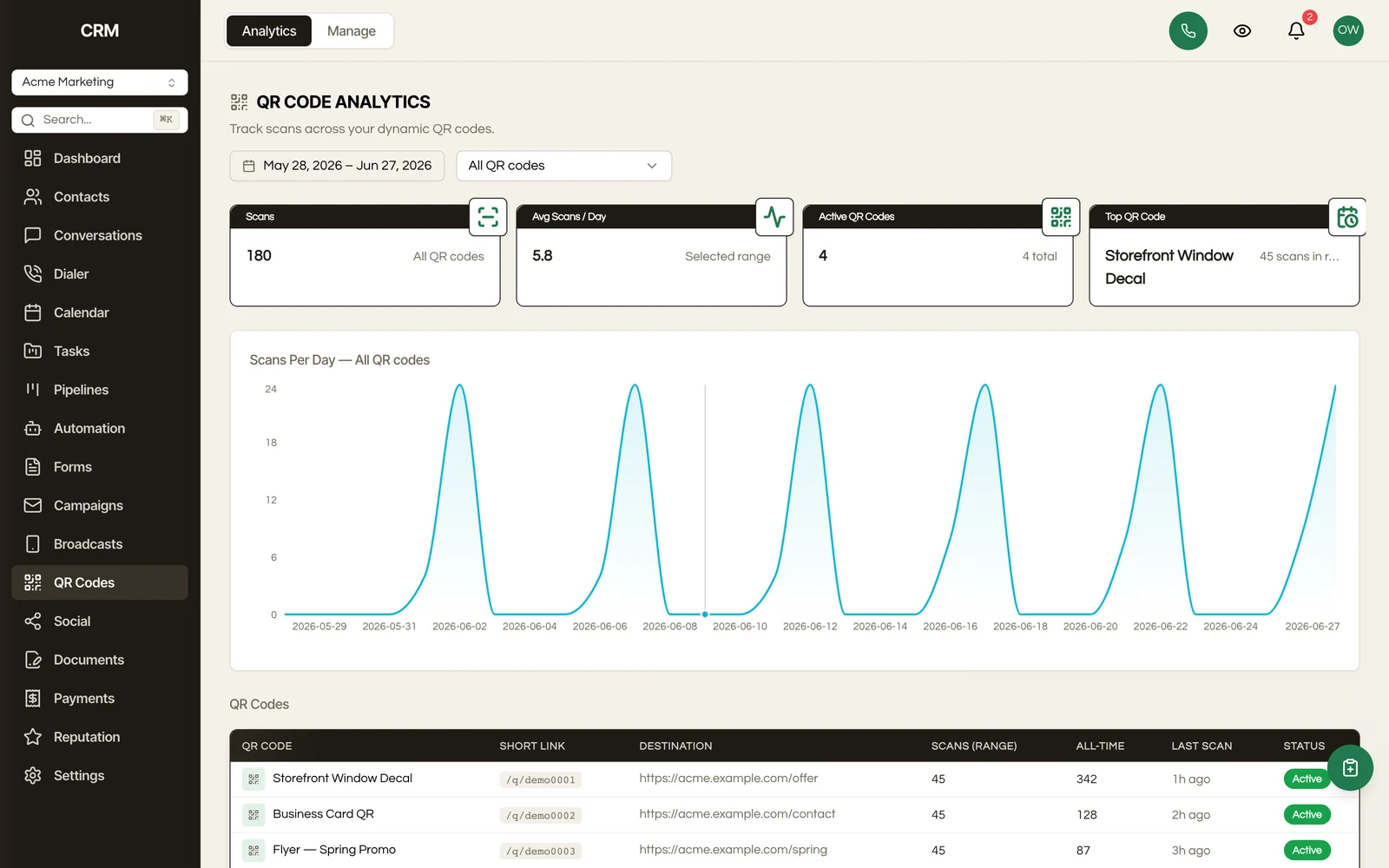
- KPI cards summarize total scans and activity at a glance
- Scans over time charts daily scan volume, with a dropdown to focus on a single code
- Per-code comparison lists every code side by side so you can spot your top performers
Summary#
| Capability | Detail |
|---|---|
| Dynamic codes | The printed code stays the same; you control the destination |
| Re-pointable | Change where a code sends people at any time, with no reprint |
| Customization | Brand color, live preview, PNG download, and copy short link |
| Organization | Group codes into folders |
| Pause | Temporarily stop a code from redirecting |
| Analytics | Total scans, scans over time per code, and side-by-side comparison |