The reason I love Seedly is ownership. You own the codebase instead of renting and watching the provider change things constantly.
Owns the codebase
Automation
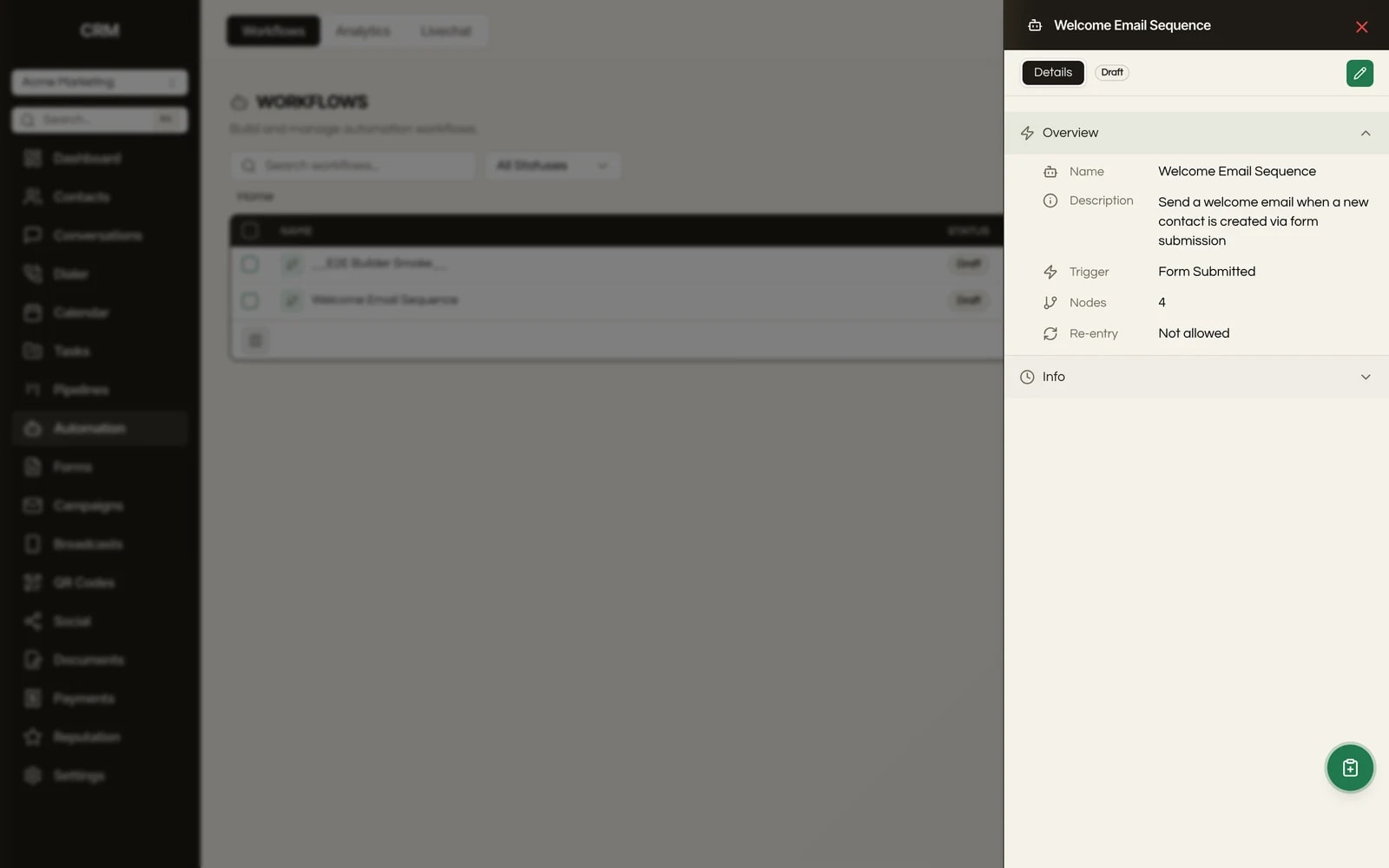
A visual drag-and-drop builder with 78 action nodes and 68+ triggers, running on a CRM you bought once and host yourself. No per-task billing, no per-zap caps.
One payment. Full source code. Unlimited seats, every client, forever.

Don't take our word for it. Take theirs.
Early Seedly owners, in their own words. Every review verified on Trustpilot.
What It Does
A real canvas, not a linear step list. The builder is powered by a true node graph, so you map your process visually with branches, loops, and parallel paths, and see the whole automation at a glance.
Call a large language model right inside a workflow to write content, classify replies, or extract data, with control over the prompt and limits. A custom code node runs your own logic in a sandboxed step with mapped inputs and outputs.
Send email, SMS, Messenger, and Instagram DMs. Create and update contacts, opportunities, tasks, invoices, and appointments. Add tags, assign users, post to Slack, and call any external URL. Triggers cover contacts, tags, conversations, opportunities, invoices, forms, appointments, calls, reviews, inbound webhooks, and scheduled events.
You own the source, so the node library is not a fixed menu. Add your own node types for the integrations and logic your agency actually uses. No vendor gate, no feature-request queue, no waiting for a roadmap.
If/Else nodes route contacts down different paths on their data with multi-branch AND/OR logic. A/B split nodes test variants with weighted distribution. Wait nodes pause from seconds to weeks, or until a contact replies, clicks a link, or a condition is met.
Send conversion data back to Google Ads and to Meta for server-side attribution, and process off-session Stripe charges directly from a workflow. Automation that closes the loop on ad spend and revenue, not just messaging.
Every run is logged with per-node status, so you see exactly where an automation succeeded or stopped. Dry-run mode executes all the logic and records what would have happened while skipping the real sends and charges, so you test safely before going live.
How It Works
A trigger is the event that kicks off a workflow: a form submission, a reply, a stage change, an overdue invoice, a scheduled time. When the event happens, the workflow begins for that contact.
Action nodes are what happens next: send a message, update a record, create an opportunity, charge a card, run an AI prompt. Logic nodes control the flow with branches, A/B splits, and waits. You assemble them on a canvas and connect them in the order you want.
Any node can reference data from the contact or from an earlier step, so a later email can use the answer a contact gave three steps ago. You configure each node in a side panel without writing code.
When you publish, the trigger goes live and the workflow runs automatically against every contact that matches. A few day-one examples: nurture a new lead with a timed email and SMS sequence, request a review when a job is marked complete, and follow up automatically when an invoice goes overdue.
The Rest Of The Garden
Every module ships in the same source code you own. Slide through the rest of the garden.
FAQ
It is software that runs a sequence of actions automatically when a trigger event happens, so your team does not repeat steps by hand. In Seedly you build that sequence visually: a trigger like a new form submission kicks off action nodes that send messages, update records, branch on conditions, and wait between steps.
Buyers usually compare GoHighLevel, Zapier, Make, ActiveCampaign, and HubSpot. Those are all rented: you pay monthly, and most meter you per task or per run. Seedly is the owned alternative. You buy the source once, self-host it, and run unlimited automations with no per-task billing.
Yes, Microsoft 365 includes Power Automate for office and document workflows. It is not a CRM automation engine, though. It does not have your contacts, pipelines, conversations, invoices, or ad-conversion data next to the automation. Seedly's builder runs inside the CRM where your client data already lives.
Yes. A small agency gets the same 78 nodes and 68+ triggers as a large one, with no seat or task fees to scale into. You pay once, host it, and the cost does not grow as your automations or your client count grow.
You own the install and the database, so your data is yours to bring in and export at will. Workflows are rebuilt on Seedly's canvas rather than imported one-to-one, since the node model differs from GHL. Many teams treat the move as a chance to clean up the bloated automations they inherited.
Yes. Seedly is multi-tenant. You run every client as its own sub-account from one install, and you build workflows per sub-account. There is no extra license or per-account fee for automation.
Yes. The CRM is white-label per client, so each sub-account can carry its own branding. Clients never see Seedly's name or a third-party automation vendor.
There is no per-task, per-zap, or per-run fee. You pay once for the source and cover your own hosting plus the usage costs of services you connect, like your email, SMS, or AI provider. Running one more workflow for one more client adds nothing to your software bill.

One-time payment. No subscriptions. No renewals.
Secure checkout via Stripe. Your license key is emailed instantly.