The Agentic Loop
Understand how Claude Code thinks, decides, and acts


Buzz presents
ok this one is sooo cool. Claude gathers, acts, then checks its work, over and over, kinda like a busy little bee!ok this one is sooo cool. Claude gathers, acts, then checks its work, over and over, kinda like a busy little bee!
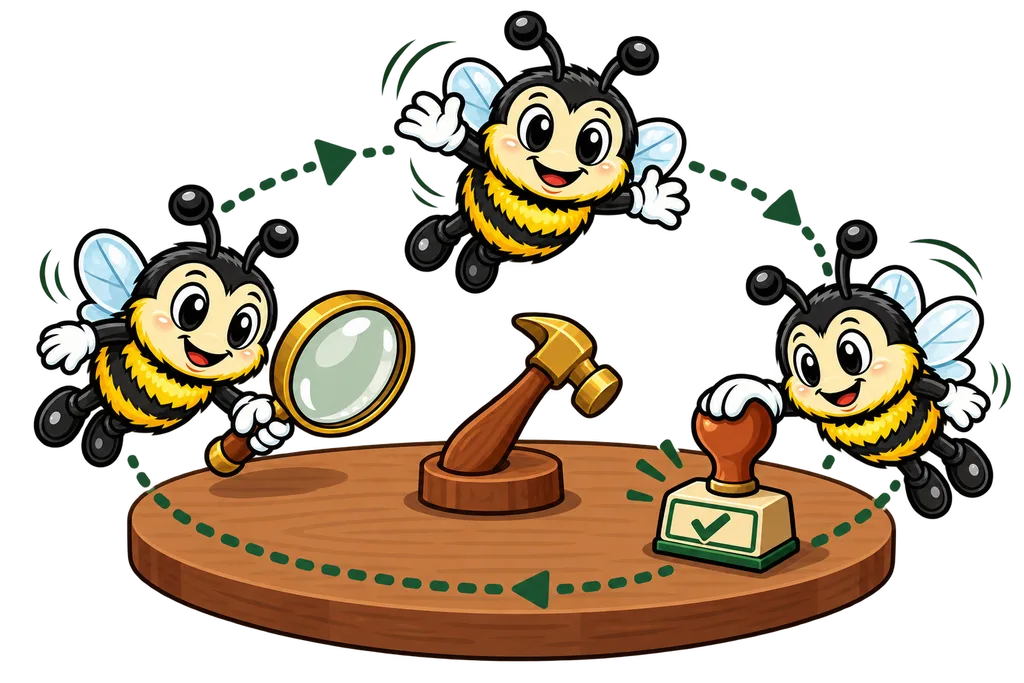
Ask Claude Code to do something and it won't just blurt out one answer and walk away. It runs a repeating cycle... gather information, take action, check the results. Once you understand that cycle, you'll work with it better and write better prompts.
What is an "Agentic Loop"?#
"Agentic" means acting like an agent, something that takes actions on its own to reach a goal. Claude Code keeps looping through steps until the job's actually done, instead of answering once and calling it a day.
Picture a good tradesman working through a project.
- Look at what needs doing
- Do some work
- Check if it worked
- Repeat if needed
That cycle is the agentic loop.
The Three-Phase Cycle#
Every time you hand Claude Code a task, it drops into this loop.
+--------+    +-----+    +--------+
| Gather |--->| Act |--->| Verify |----> Done
+--------+    +-----+    +---+----+
    ^                        |
    +------------------------+
Phase 1: Gather#
Claude reads files, searches code and collects the context it needs. This is where it works out what exists, what's relevant and what rules it has to play by.
Say you ask Claude to "fix the bug in my login page." Here's what it'll do.
- Read your request
- Find your login page file
- Read the code in that file
- Look at related files if it needs to
Same as a mechanic popping the hood before touching anything.
Phase 2: Act#
Now Claude makes changes, like editing files, creating new ones or running commands. Every action is a deliberate step toward the goal.
During this step Claude asks permission before changing things (depending on your permission mode), so you stay in control.
Phase 3: Verify#
After acting, Claude checks that the change actually worked. It might re-read the file, run tests or look for errors. If something's off, it loops right back to Gather with what it just learned.
That self-correcting part is what makes Claude Code so powerful. When something breaks, it reads the error, plans a fix and takes another swing instead of just giving up.
I watched this loop do something kinda nuts in a demo. Claude Code spun up 13 subaccounts, crawled the sites and rebuilt the forms in just under 12 minutes. That's gather, act, verify, over and over, FAST.
Tool Selection Logic#
Claude doesn't pick tools at random. It follows a decision tree based on what it needs.
                  What do I need?
                        |
        +---------------+---------------+
        |                               |
   Read Info?                     Change Things?
        |                               |
  +-----+-----+               +---------+---------+
  |           |               |         |         |
Know file? Search?         Small?   New file?  Run a command?
  |           |               |         |         |
 Read   Bash (grep/find)    Edit     Write      Bash
On Mac and Linux, Claude searches by running grep and find through its Bash tool. On Windows it gets dedicated Grep and Glob tools for the same job.
Context Window as Working Memory#
The context window is Claude's working memory during a session. Everything lives in there.
- Your messages and Claude's responses
- Contents of files Claude has read
- Output from commands Claude has run
- CLAUDE.md contents (loaded at the start)
- Tool call inputs and outputs
It's fixed-size. Once it fills up, Claude's reasoning gets worse because there's less room left for new thinking. That's why managing context is a core skill (we'll cover it in a later lesson).
How Multiple Loops Work Together#
Bigger tasks mean lots of gather-act-verify loops back to back. Here's what a typical "add a feature" job looks like.
- Gather. Read the relevant source files
- Act. Create the new component
- Verify. Check the file was created correctly
- Gather. Read the test file to understand patterns
- Act. Write tests for the new component
- Verify. Run the tests
- Gather. Read the router/index to find where to register
- Act. Add the route
- Verify. Build the project to confirm no errors
Every loop is small and focused. Claude isn't trying to cram everything into one giant move.
The Permission Layer#
Between the Act phase and the thing actually happening, there's a permission check. What it does depends on your mode.
- Manual. Claude asks you before edits and commands (reading files doesn't need a yes)
- Accept edits. File edits go through without asking, but commands still check with you
- Plan. Claude plans everything first and only executes after you approve
- Auto. Claude works without routine prompts while a separate safety check reviews each action
That's your safety net. You decide how much freedom Claude gets.
What Slows the Loop Down#
Knowing the bottlenecks helps you write better prompts.
| Bottleneck | Cause | Fix |
|---|---|---|
| Too much Gathering | Vague prompt, Claude searching everywhere | Give specific file paths |
| Repeated Verify failures | Flawed approach, keeps trying same fix | Interrupt and redirect |
| Large file reads | Reading entire files when only one section matters | Point to specific functions/lines |
| Unnecessary loops | Claude doing things you didn't ask for | Add constraints to your prompt |
TL;DR#
- Claude works in a Gather → Act → Verify loop that repeats until the task is done
- That self-correcting loop is what sets Claude Code apart from simpler AI tools
- Tool selection follows a logical decision tree based on what info it needs
- The context window is limited working memory, and everything used during the session lives there
- Better prompts (with file paths, function names and constraints) cut out wasted loops
- Permission modes control how much freedom each action gets
This lesson ends with a short activity.