The phone number is the thing that stops people from leaving.
Everything else in a CRM migration is data. Contacts, deals, conversations, call recordings. If a contact import goes sideways you run it again. But the phone number on the truck, on the yard sign, on 400 business cards, is the business. Nobody wants to be the person who broke it.
So let me take the fear apart, because in two of the three situations you might be in, there is almost nothing to be afraid of.
First find out which situation you are actually in
This is the whole ballgame and most people skip it. It also takes about two minutes to answer.
The test. Try to log into a Twilio account of your own and find the number in it.
- The number is there. You already own it. Situation one.
- You have no Twilio login of your own, or you log in and the number is not there. Somebody else owns it. Situation two.
- The number is not in any Twilio account and never was, because it still sits with a phone company. Situation three.
That single question decides whether this is an afternoon or six weeks, so answer it before you plan anything else.
Situation one. The location is connected to your own Twilio project. Some agencies wired their own Twilio in years ago and never moved to LC Phone. If that is you, your numbers are already sitting in your own Twilio account. You are the account owner. The old CRM was renting access to them.
There is no port and no transfer. Nothing moves at all. You disconnect the old CRM, point the new one at the same Twilio credentials, and the number never notices. This is the best case, and it is worth checking for before you assume you are anywhere else.
Situation two. The numbers are on LC Phone. LC Phone is the platform's own telephony, and it runs on their Twilio infrastructure, which means the numbers live in a Twilio account they control rather than one you control.
Here is the part that surprises people. Getting them out is not a carrier port. It is a Twilio account to account transfer, and GoHighLevel's own documentation puts it at one to two business days once support has the details. You are not waiting a month and you are not filing paperwork with a carrier.
Situation three. The number still lives at an outside carrier. Maybe it was never fully moved in, or it sits with a landline provider and forwards. That one is a real port, and a real port takes two to four weeks, sometimes six to eight if the number is part of a larger or messier account.
Three situations, three completely different levels of difficulty. Find out which one you are in before you plan anything else.

Join the Seedly owners community.
Owners trade setups, share add-ons, and swap playbooks. See what people are building before you commit.
Why the hierarchy matters more than the steps
This is where the confusion lives, so it helps to say out loud who owns what.
Twilio accounts nest. There is a parent account, and under it there are subaccounts, and phone numbers belong to one specific subaccount. Whoever holds the parent account credentials controls everything underneath.
When you use LC Phone, the platform holds the parent. Your numbers sit in a subaccount they own. You get an interface to use them and a wallet to fund them, and that is the extent of it. You cannot log into Twilio and see your own numbers, because they are not in your Twilio. That is exactly why the test above works.
When you run your own Twilio, you hold the parent. You create a subaccount per client, numbers live in that client's subaccount, and you can see and move every one of them yourself. Nobody has to approve anything.
That is the actual difference between the two paths, and it is why situation one is trivial and situation two needs a support ticket. It is not that one is technically harder. It is that in one of them you are asking permission.
Moving numbers out of LC Phone
If you are in situation two, this is the sequence. It is shorter than you think.
Gather these four things first and the rest is one email.
- Your own Twilio Account SID, from your Twilio console. This is the gaining account.
- Your LC Phone sub-account ID, under Settings then Business Profile.
- Every number you want moved, written as +1 and the ten digits.
- The date and time you want the cutover to happen.
Then:
-
Create your own Twilio account if you do not have one, and get through Twilio's identity verification first. Do this before anything else, because the transfer needs an account that is ready to receive numbers.
-
Get your gaining Twilio Account SID. That is the destination, from your own Twilio console.
-
Get your LC Phone sub-account ID. In HighLevel it is under Settings, then Business Profile.
-
Open a HighLevel support ticket with the gaining Account SID, the LC sub-account ID, and every number you want moved in E.164 format, which means the plus sign and country code, like +18045551234. Give them a preferred cutover window.
-
HighLevel coordinates it with Twilio. You do not open a separate Twilio ticket. Their documentation says one to two business days from the point where support has everything.
Here is that ticket, written for you. Fill in the four blanks and send it.
Subject: Move numbers from LC Phone to Twilio

Hello,

We are moving the numbers below out of LC
Phone into our own Twilio account. Please
coordinate the account to account transfer.

Gaining Twilio Account SID:
  AC______________________________

LC Phone sub-account ID:
  ________________________________

Numbers to move (E.164):
  +1__________
  +1__________
  +1__________

Preferred cutover window:
  ________________________________

The destination account is verified and
ready to receive them. Please confirm once
the transfer is scheduled, and again when
it completes.

Thank you,
Send it once, for all the numbers going to the same destination account. Splitting one client's numbers across separate tickets gives you several cutover windows to babysit instead of one.
What cutover day actually looks like. The number arrives in your Twilio account, and pointing it at the new CRM is a step you take, not something that happens on its own. So have the receiving side finished and tested before your cutover window opens. If the destination is ready and waiting, the gap is the few minutes it takes you to attach the number. If it is not, the gap is however long you need to go build it, while the number sits in your account ringing nowhere.
The mistake to avoid is cancelling anything early. Keep the old sub-account funded and active until the numbers are visibly sitting in your own Twilio console. A number in flight that loses its source account is the one genuine way to create a bad day here.
The Twilio ISV process, and why you need it
Here is the part nobody explains before you are already halfway through.
The moment you hold your own Twilio parent account and you send messages on behalf of more than one business, Twilio does not consider you a direct customer any more. You are an Independent Software Vendor. An ISV. That is not a badge you apply for so much as a description of what you are doing, and it changes how A2P 10DLC registration works for you.
A2P 10DLC is the US carrier registration that lets a ten digit local number send application to person text messages. Skip it and your texts do not get delivered. They fail with carrier violation errors like 30034, and the ugly part is that they fail quietly, one message at a time, while the CRM cheerfully reports them as sent. I have seen an account where months of outbound texts had never reached a single customer and nobody noticed.
The ISV registration shape looks like this.
Your Primary Business Profile. One per agency, created in Twilio's Trust Hub. When it asks for your business type, you select ISV, reseller or partner. This describes you, the agency, and you fill it in once.
A Secondary Customer Profile per client. Created under that client's Twilio subaccount, holding that client's business details. Twilio is explicit about this and it is the rule people break most often. You use your customer's information here, never your own. Their legal name, their EIN, their address, their authorized representative.
A Brand per client, registered under their subaccount and vetted by The Campaign Registry. Brands usually come back within minutes.
A Campaign per use case, and each campaign maps to its own Messaging Service. The campaign is where you declare what you actually send, with sample messages and how people opted in.
That chain is exactly what Seedly CRM automates, and the record it keeps mirrors it one for one. Every sub-account gets a single A2P registration row holding the primary and secondary customer profile SIDs, the A2P trust product SID, the brand SID, the campaign SID, and the messaging service SID, with brand and campaign statuses tracked separately so you can see which half is stuck.
You cannot do this part without your client
Worth saying plainly, because it is the step that stalls migrations that were going fine.
Registration uses your customer's details, not yours. That means before you can submit anything for a client you need their legal business name exactly as registered, their EIN, their registered address, their website, and a named authorized representative with a real email and phone. Some of that you will not have on file, and some of it your client will have to go and look up.
So ask for it early, in one message, rather than discovering halfway through the wizard that you are waiting on somebody else. Something like this works.
Hi ____,

We are moving your texting onto our own
carrier account, which needs a one time
registration with the US carriers.

Could you send me:

  Legal business name, exactly as it
    appears on your tax paperwork
  EIN
  Registered business address
  Website
  A contact for the registration:
    name, job title, email, mobile

It is a one time thing and I handle the
rest. Nothing changes on your end and your
number stays exactly the same.
That last line matters. Ask a business owner for their EIN with no context and the next call is about whether they are losing their phone number.
What Seedly needs on the CRM side
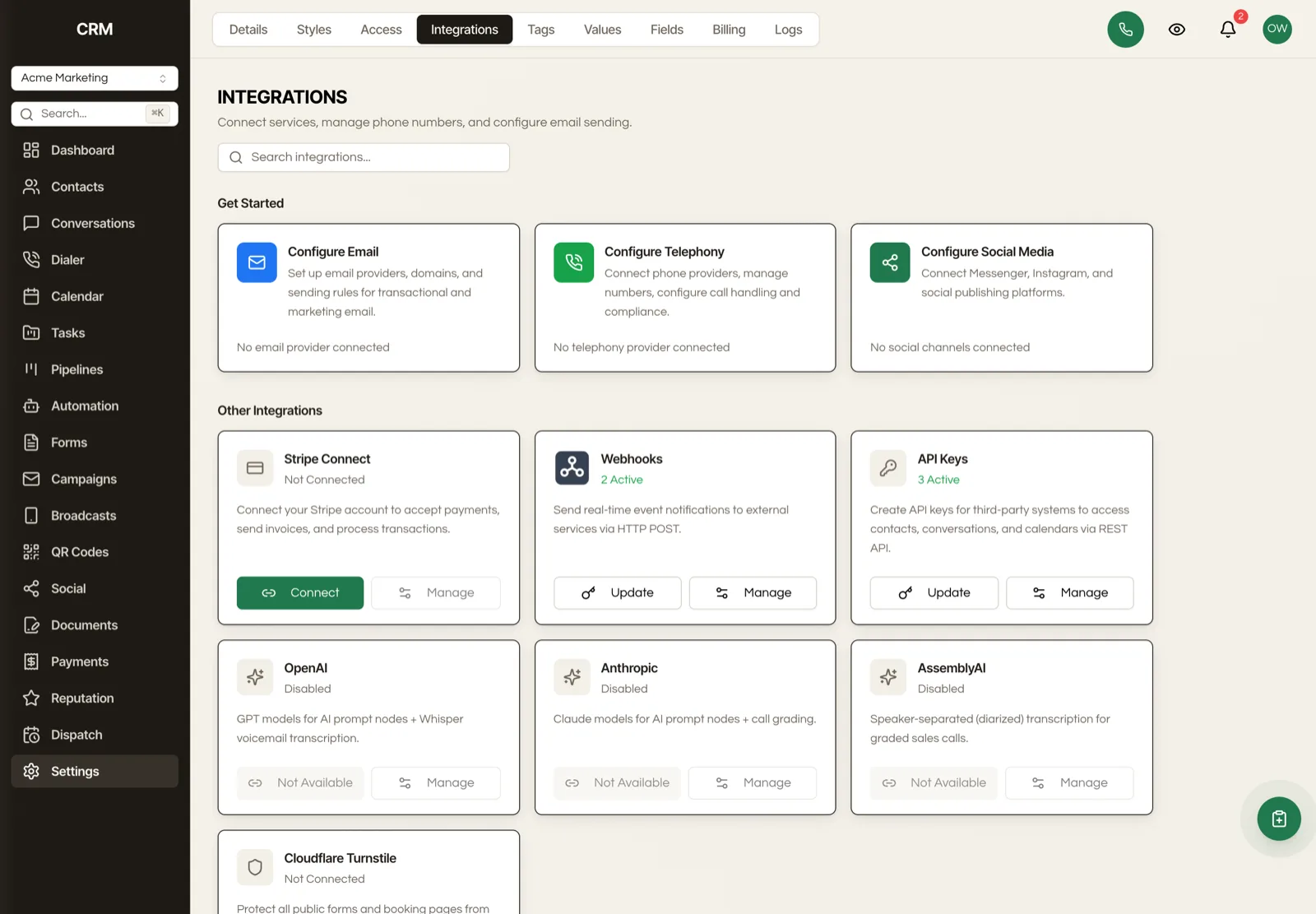
Three layers, and they line up with the Twilio hierarchy rather than fighting it.
Agency telephony config. One record per agency holding your Twilio master account SID and auth token. It also carries a mode, and the mode decides who owns the credentials. Agency managed means you run telephony for your clients. Self service means each client brings their own. Hybrid means some of each, which is what you want the first time a client insists on their own Twilio bill.
Telephony sub-accounts. One record per client, mapping that CRM sub-account to a Twilio subaccount SID with its own auth token. This is the layer that keeps one client's numbers and spend from touching another's.
A2P registration. One record per client, holding the brand and campaign chain described above, plus the numbers assigned to that campaign.
Numbers themselves get stored per sub-account with the provider's own number ID, so the CRM always knows which Twilio subaccount a given number actually lives in.
Telnyx works the same way if you prefer it. The registration record is provider aware and normalizes both into one set of statuses, so the wizard behaves identically either way.
The compliance wizard
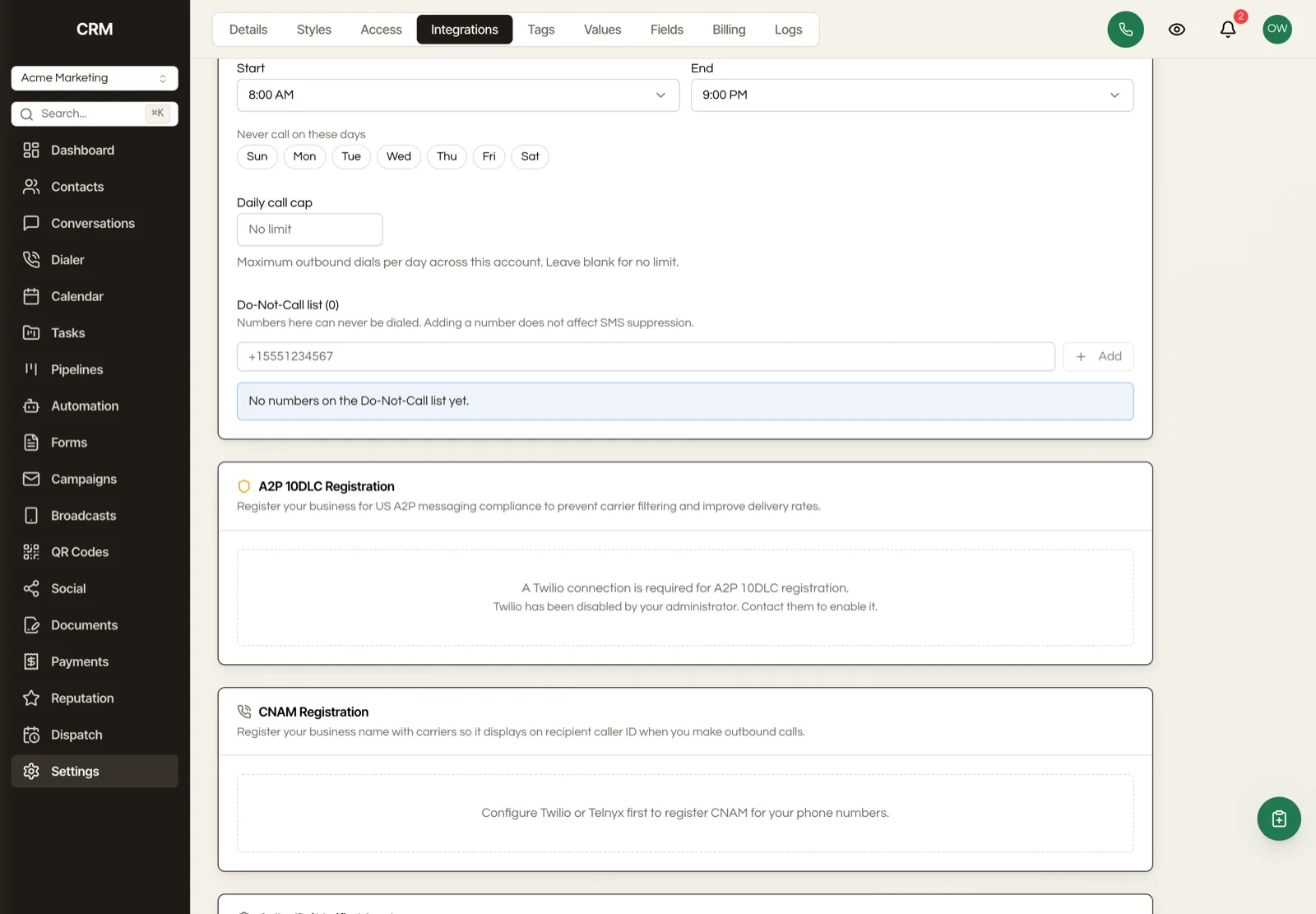
In the CRM this lives under Settings, then Integrations, and it is three steps in order.
Step one, brand. Business name, EIN, business type, industry, address, website, and the authorized representative Twilio requires before the bundle can go to review. Sole proprietors get a slightly different set of fields, including a mobile number, because Twilio treats that path separately.
Step two, campaign. Use case, a description of what you send, two sample messages, and how people opt in. Privacy policy and terms URLs go here too, because The Campaign Registry vets those directly off the campaign now.
Step three, assign numbers. Attach the numbers that will send under that campaign.
The order is not decorative. You cannot assign numbers at step three or send a single text until the brand exists, and the wizard warns you about that before you spend anything, because brand registration fees are not refundable.
Two samples that reflect what you genuinely send will get through review far more easily than two you wrote to satisfy the form. The Campaign Registry is reading them.
Do you have to register A2P again
This is the question that decides how long the whole move takes, and the answer is different for each situation. It comes down to one rule from Twilio. A brand belongs to a single customer profile, and brands cannot be transferred between accounts.
Situation two, LC Phone. Yes, you register again. There is no way around it and it is worth understanding why rather than hunting for a shortcut. The brand your messages send under today was registered under the platform's customer profile, inside the Twilio account they own. It is theirs. It does not follow the number out, any more than their wallet balance does. So the receiving account needs its own brand and its own campaign, registered fresh.
Situation one, your own Twilio. No, you do not. The brand already lives under your account, because that is where it was registered. Changing which CRM talks to that account does not touch it. You point the new CRM at the brand and campaign you already have.
That difference is the real cost gap between the two situations, and it is bigger than the number movement. Situation one is a credentials change. Situation two is a fresh registration and the wait that comes with it.

Reattaching a brand you already own
If you are in situation one, or you have an approved brand sitting in your Twilio account from any other setup, you do not need to run the wizard. A2P registration in Seedly is a record keyed to one sub-account, and the wizard is only one way of filling it in. You own the source and the database, so if you already hold the SIDs you can write them straight into that client's registration record instead.
Three values, all copied from your Twilio console.
- The brand SID, which starts with
BN. - The campaign SID, from the campaign attached to that brand.
- The messaging service SID, which starts with
MG, for the service the campaign is attached to.
Write those into that sub-account's A2P registration row with the provider set to twilio and both the brand and campaign statuses set to approved. The CRM then treats that client as registered, because as far as Twilio and the registry are concerned, they are.
Two rules before you reach for this, and they are not CRM rules, they are compliance rules.
A brand belongs to one business. One legal entity, one EIN. Attaching a brand you registered for one client to a different client's sub-account is not a shortcut, it is misrepresenting who is sending the message, and it is the kind of thing that gets a brand suspended rather than a message blocked.
The SIDs have to come from the same Twilio parent account the CRM is configured with. A brand living under a Twilio account you no longer control is not portable by typing its SID somewhere new.
Used properly this is the difference between a migration that re-registers eleven clients and one that keeps eleven approved brands exactly where they are.
Toll-free numbers are a different path entirely
If the number you are moving is toll-free, none of the A2P section above applies to it.
Toll-free numbers are not part of A2P 10DLC. They have their own process called Toll-Free Verification, with its own form and its own fees, and it is done directly in the Twilio console rather than in the CRM. Open the number in Twilio, go to its Regulatory Information tab, and use the toll-free verification option there. Expect to describe the use case and give a rough monthly message volume.
So the compliance wizard in the CRM covers 10DLC and only 10DLC. A toll-free number is verified in Twilio and then simply used. Do not go looking for a toll-free step in the wizard, because there is not one, and its absence is not a setup mistake on your part.
If you run both kinds of number, and plenty of agencies do, they need two separate pieces of paperwork with two separate timelines. Start both early.
The order that avoids a dead week
Sequence matters more than any single step here, because the two failure modes are both about timing.
Move numbers before A2P is approved on the new account and you get numbers that ring fine and text into a void. Approve A2P before the numbers arrive and you have a registered campaign with nothing assigned to it, which costs you nothing but time.
So do it in this order.
- Stand up your own Twilio account and finish verification.
- Create the Primary Business Profile as an ISV, reseller or partner.
- Create the client's Twilio subaccount.
- Run brand and campaign registration for that client and wait for approval. Brands are usually minutes. Campaigns take longer.
- Then move the numbers, whichever of the three situations applies.
- Assign the numbers to the campaign.
- Send one real text to your own phone before you tell anyone it is live.

That last step is not padding. A test send is the only thing that distinguishes a working setup from one that looks working, and looking working is the exact failure mode that hides for months.
Doing this for a whole book of clients
Everything above is written for one client. If you run twelve, the order changes shape, and getting it wrong is the difference between one clean weekend and twelve separate messes.
Yes, build every sub-account and register it before you move a single number.
The reason is that a phone number can only send under a campaign that lives in the same account the number lives in. So the destination has to exist, and be approved, before the number has anywhere useful to land. Move first and the number arrives somewhere that cannot text yet.
So the shape is two passes, not twelve sequences.
Pass one, build everything. Create your Twilio parent, set your primary profile up as an ISV once, then create a subaccount for every client you are moving. Register a customer profile, brand and campaign under each one. This pass involves no phone numbers at all and nothing your clients will notice, so it can run in the background over a couple of weeks while everyone keeps working in the old system.
Pass two, move the numbers. Only once a client's campaign is approved do you send the transfer ticket for that client, and you send it pointing at that client's subaccount, not at your parent account. A number dropped into the parent has to be moved again afterwards, which is a second internal step you did not need and a second chance to put a number in the wrong place.
Clients are independent of each other, so you do not need all twelve approved before you move the first one. What is not negotiable is the order within each client. Subaccount, then registration, then approval, then the number.
One practical note. The registration pass is where you are waiting on other people, both your clients for their details and the registry for approval. The number movement is fast and predictable. So start the slow half early and in bulk, and treat the number transfers as the quick thing you do at the end.
What does not come with the numbers
Porting or transferring a number moves the number. It does not move anything that happened on it. Call recordings, message history, voicemail, none of it travels with the number, and once the old sub-account is closed that history is gone.
Export the conversation history first. It is a separate job from the phone system and it is much easier to do while you still have an account to export from.
The short version
Look at where your numbers live before you plan anything. If they are already in your own Twilio, this is a credentials change and an afternoon. If they are on LC Phone, it is a support ticket and a couple of days, not the month long ordeal people picture. Register the brand and campaign before the numbers land, keep the old account alive until the new one is holding them, and send yourself one real text before you call it done.
The phone number is the scariest part of leaving. It is also, once you know which of the three situations you are in, one of the more predictable ones.